Collections and folders do different jobs.
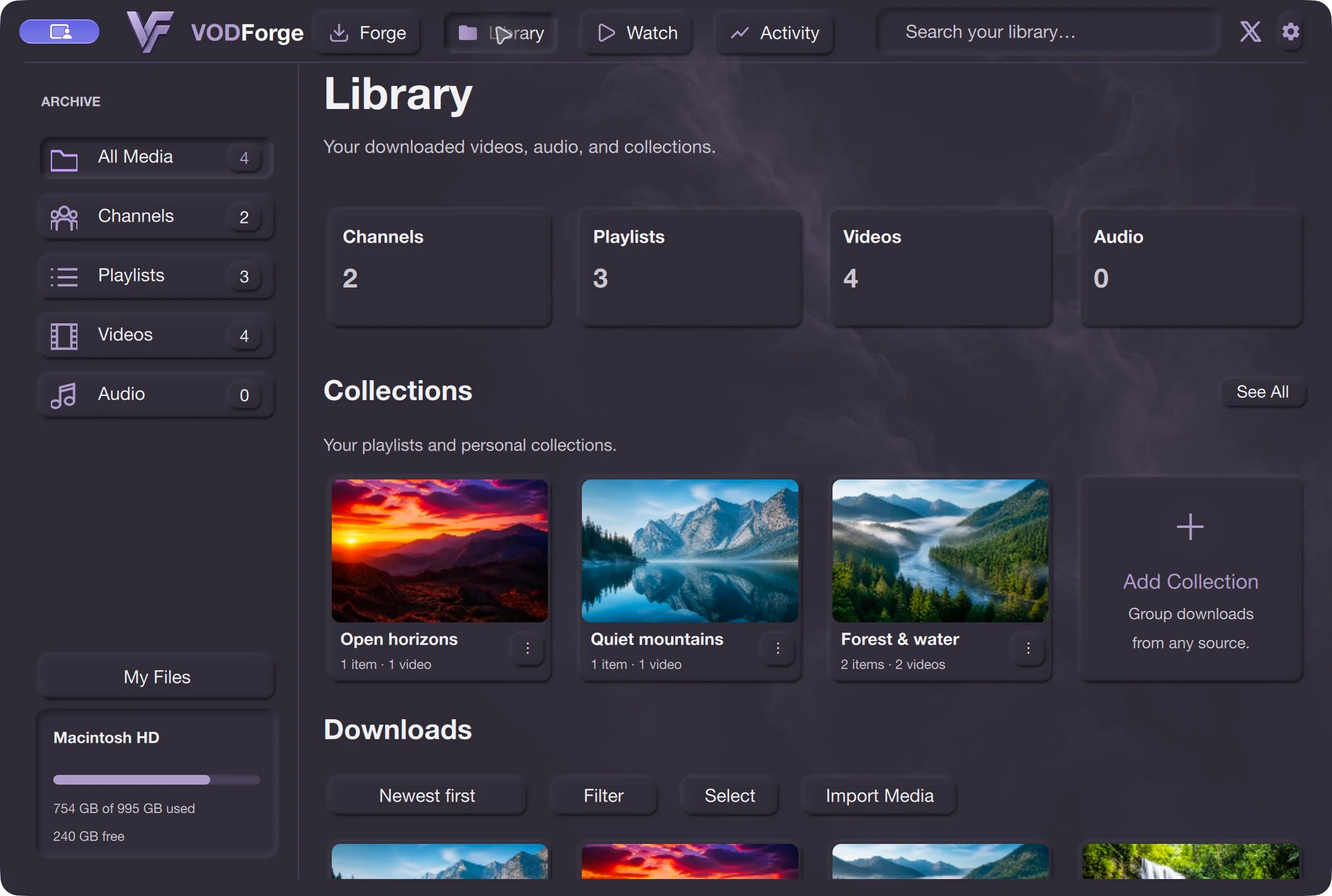
A personal collection can group saved items for study, work, or later viewing. Do not assume adding an item to a collection creates a copy or relocates it. Inspect My Files for its real saved location.
From a download folder to a local library
Saving the file is the beginning. VODForge keeps source context, Library groupings, and saved locations together so you can find the video or audio you meant to keep.
Free desktop app · MIT licensed · No desktop account
Step by step
01
In Forge, use Save to to pick where the app should write your downloads. Keep external storage connected when it is the selected destination.
02
Use the playlist’s link with Ignore playlists Off in Settings when you want its items grouped by that playlist. A single video outside a playlist is saved under the channel’s videos - no playlist structure.
03
Open Library to browse Channels or Playlists, or use its search. Item details let you keep private notes, tags, and source information with the saved output. Personal collections group items for your own purposes.
04
Use My Files to browse the storage behind the Library. Open this folder opens the location on your computer. A Library grouping helps navigation; it is not the same thing as moving the file on disk.
Typical MP4 output uses your chosen destination, a channel folder, a playlists folder or videos - no playlist, and a folder for the item. MP3 and Original audio use the same organized item folders. My Files makes the current physical location visible without relying on a remembered path.
Start with a playlist download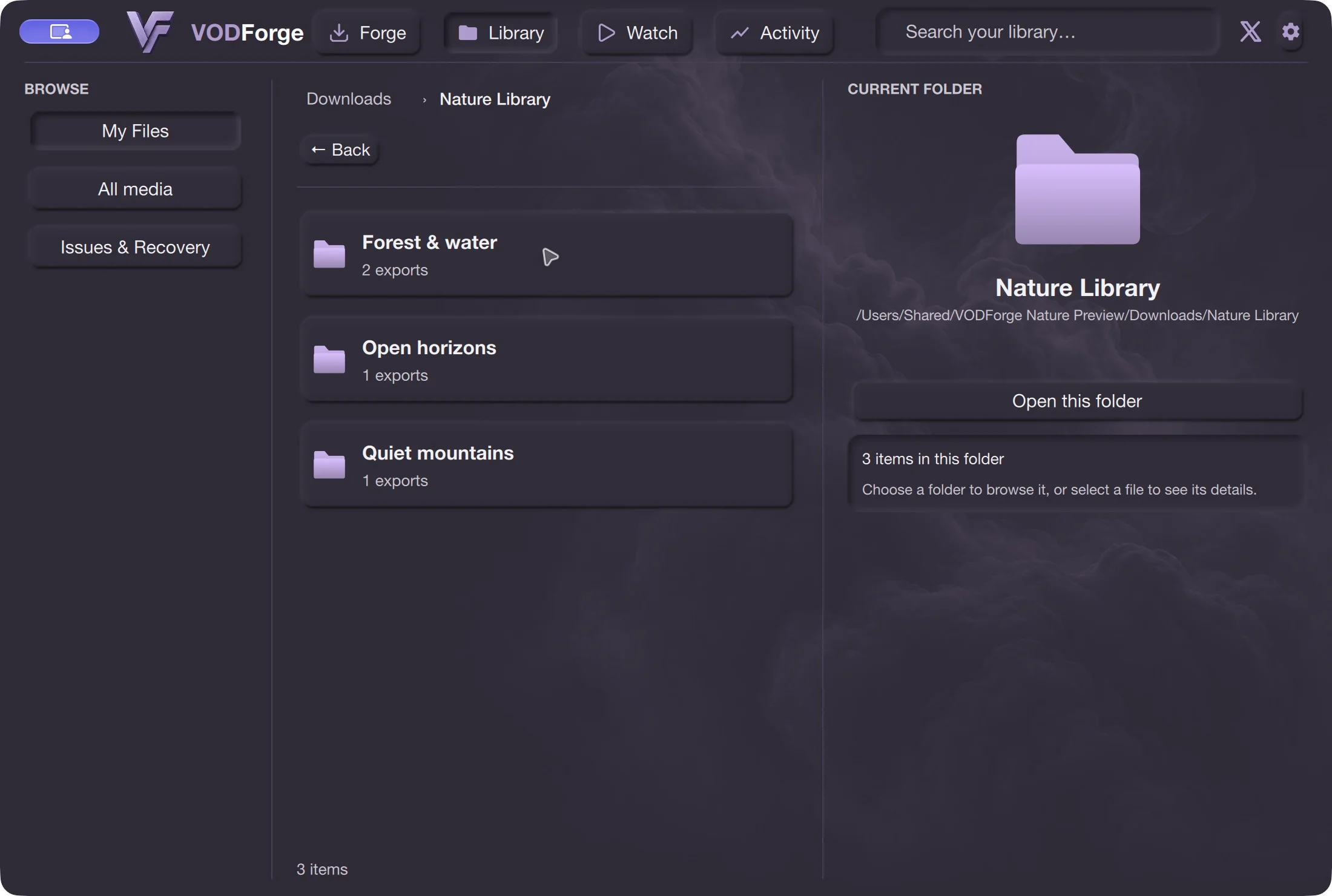
A personal collection can group saved items for study, work, or later viewing. Do not assume adding an item to a collection creates a copy or relocates it. Inspect My Files for its real saved location.
The 0.2.5 release improves Library move actions and confirmations. Read the action’s confirmation before moving or deleting anything. Moving files in another app can leave saved locations needing recovery.
Save only content you are entitled to download and check the platform’s terms. Source availability, access restrictions, and provider changes can prevent downloads.
No. Channels is a grouping for saved media. Use supported video links, playlist links, or a URL list to start downloads; this page does not promise automatic whole-channel archiving.
The automatic telemetry contract excludes note, tag, category, search, media-title, URL, and file-path text. A feature event can record that an action happened without sending what you typed.
Reconnect the storage and check the saved location before treating the media as deleted. If files were moved, use the app’s recovery tools to locate them. The Library and physical storage are separate parts of the workflow.
Published release · VODForge 0.2.5
The published Apple Silicon package requires macOS 26 or newer; the Intel package requires macOS 15 or newer. These are bundled-binary requirements, not a full tested-device compatibility matrix. Windows 10/11, 64-bit. No desktop account required. Packaged releases include the tools they need.
macOS 26 or newer. Choose when About This Mac shows an Apple Chip.
VODForge-macOS-arm64-v0.2.5.zip
macOS 15 or newer. Choose when About This Mac shows an Intel Processor.
VODForge-macOS-x64-v0.2.5.zip
Use the installer for normal setup, or keep the portable ZIP’s contents together.
VODForge-Windows-Setup-v0.2.5.exe
Portable ZIPDeveloper ID signed and notarized on Mac; signed Windows packages. SHA-256 checksums · Published release notes · Privacy choices
Practical guides