
MP3 favors familiar playback.
MP3 is widely supported, but YouTube’s audio has already been compressed. A higher MP3 bitrate can reduce additional encoding loss; it cannot restore missing detail or create lossless audio.
Audio on your computer
Save audio locally, choose your MP3 settings, and keep the result in a searchable Library. VODForge is an installed Mac and Windows app, so you do the work on your computer.
Free desktop app · MIT licensed · No desktop account
Step by step
01
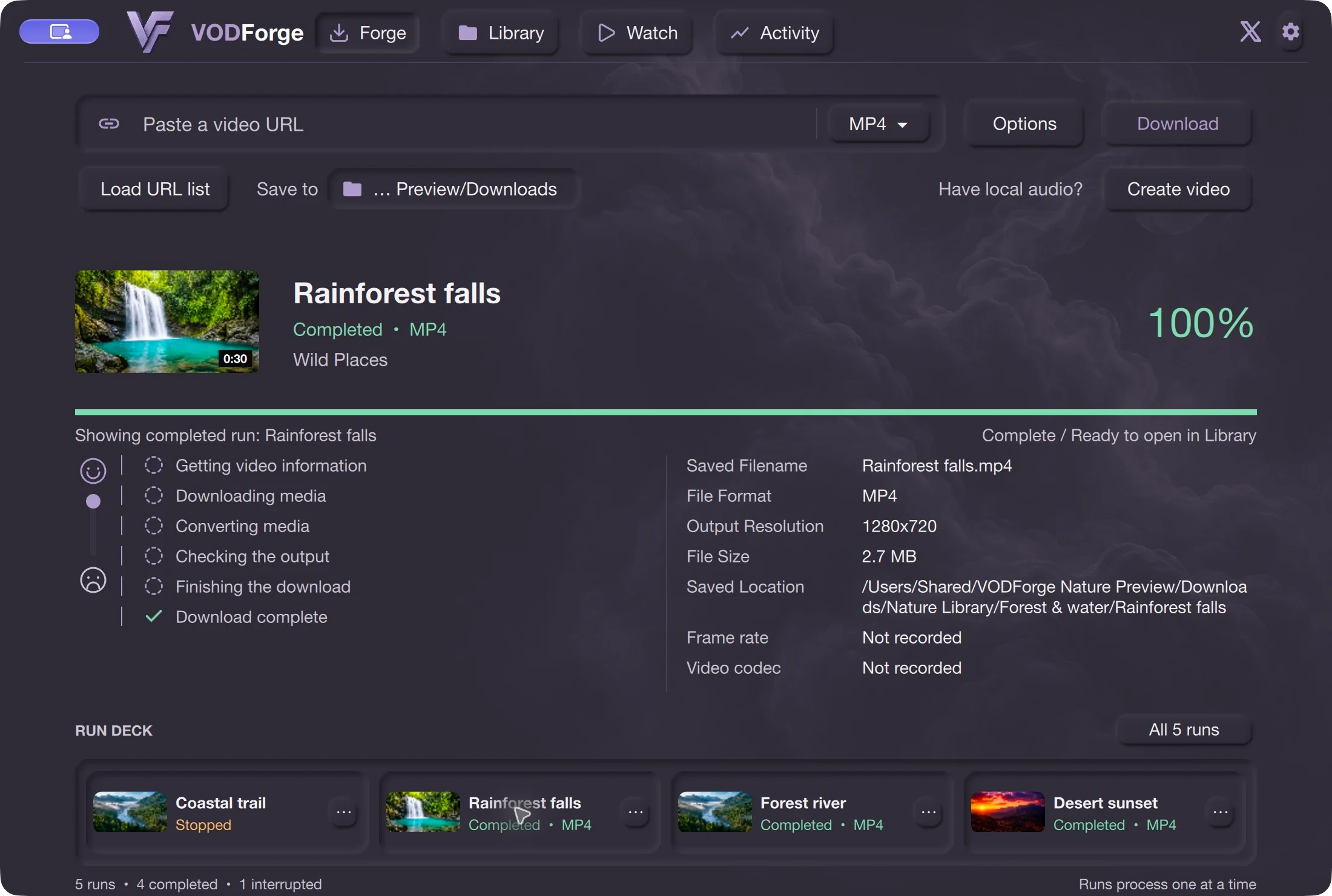
Open Forge and paste a YouTube video URL. For a batch, use a playlist link and turn Ignore playlists Off in Settings, or load a text file with one URL per line.
02
Choose MP3 from the format menu next to the URL field. Set your destination with Save to. Open Options to review the MP3 output settings.
03
Select the quality target you need. The MP3 controls include sample rate, channels, metadata, and cover-art choices. You can use YouTube art, custom art, or No Art.
04
Choose Download and wait for processing to finish. Find the audio in Library, inspect its output details, and open the saved location if you want to use it in another player.
Library item details keep source information, tags, notes, and saved-output facts together. Artwork shown in the app is separate from embedded MP3 cover art: choosing No Art does not mean the Library must lose its thumbnail.
Organize your saved audio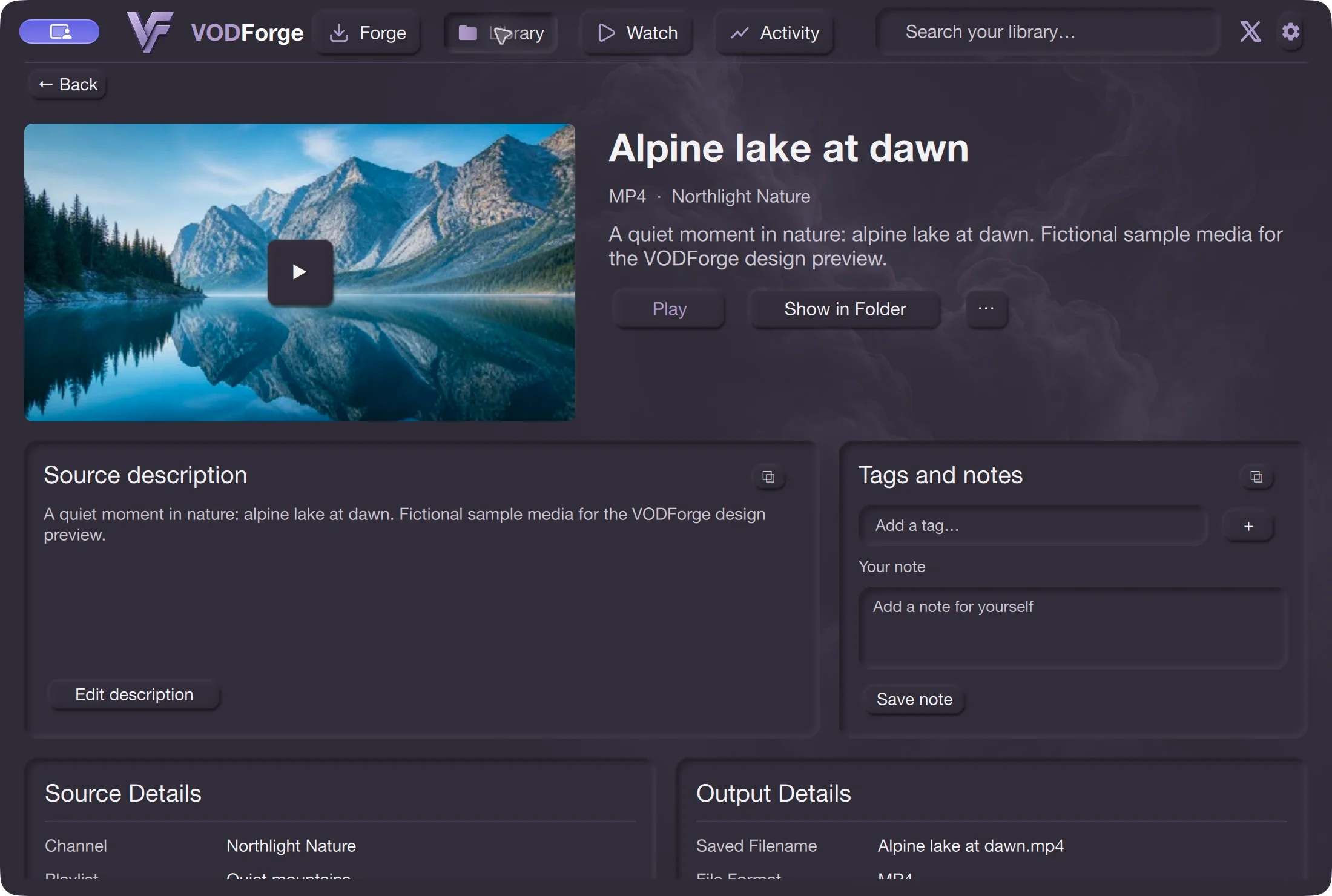
MP3 is widely supported, but YouTube’s audio has already been compressed. A higher MP3 bitrate can reduce additional encoding loss; it cannot restore missing detail or create lossless audio.
Choose Original audio to preserve the best available supported Opus or AAC stream. Files use .opus or .m4a depending on the source. MP3 bitrate, ID3, cover-art, sample-rate and channel conversion settings do not apply to this mode.
Save only content you are entitled to download and check the platform’s terms. Source availability, access restrictions, and provider changes can prevent downloads.
It is an output encoding target, not a measurement of the source’s quality. Re-encoding cannot recover detail the source does not contain, and the resulting average bitrate can differ from the selected target.
Yes. Select MP3, paste a playlist link, and set Ignore playlists to Off in Settings. Each successfully processed item becomes a separate audio file.
No. VODForge is a desktop app that downloads and processes on your computer. It needs an internet connection to retrieve the YouTube source, but the finished files are saved locally.
Published release · VODForge 0.2.5
The published Apple Silicon package requires macOS 26 or newer; the Intel package requires macOS 15 or newer. These are bundled-binary requirements, not a full tested-device compatibility matrix. Windows 10/11, 64-bit. No desktop account required. Packaged releases include the tools they need.
macOS 26 or newer. Choose when About This Mac shows an Apple Chip.
VODForge-macOS-arm64-v0.2.5.zip
macOS 15 or newer. Choose when About This Mac shows an Intel Processor.
VODForge-macOS-x64-v0.2.5.zip
Use the installer for normal setup, or keep the portable ZIP’s contents together.
VODForge-Windows-Setup-v0.2.5.exe
Portable ZIPDeveloper ID signed and notarized on Mac; signed Windows packages. SHA-256 checksums · Published release notes · Privacy choices
Practical guides